AI Powered File Run ⚡
The “AI Powered Run” is a quick and efficient way of anonymization of Files using Maya Data Privacy’s AI leverage 🤖.
Step 1: Select AI-Powered Run
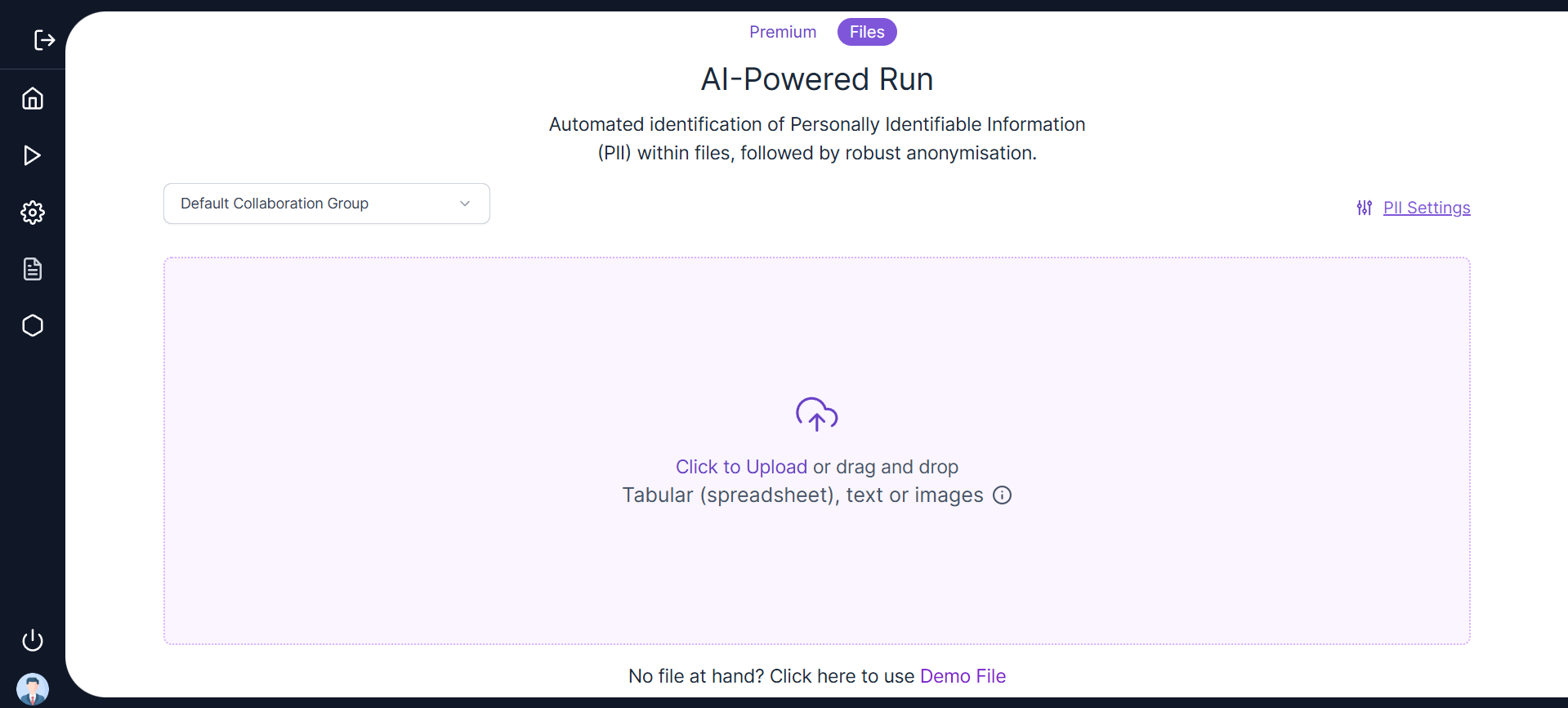
Click on the AI-Powered Run on the left navigation panel to launch the landing page 📄, as shown below.
📍 Step 2: Select Collaboration Group or Create a New One
-
Collaboration groups help maintain “consistency across different datasets”, to ensure uniform anonymization across projects.
-
Users can select an existing collaboration group or create a new collaboration group to anonymize the file consistently.
-
User can also anonymize a file without selection of any collaboration group if required. In this case, a “Default Collaboration Group” will be assigned.
-
Select an existing Collaboration group from the drop down under “Run Properties” to proceed with an existing one.
-
Click “Create New Collaboration Group” to create a new Collaboration Group. As seen below, the user needs to enter the mandatory parameter “Project Name” to create a collaboration group.
-
The same Collaboration group during “AI Powered Run” will maintain consistency in the anonymization of structured files or within unstructured files. For example, in unstructured files the Name “Emma Smith” in a .docx file gets anonymized similarly to an “Emma Smith” in a .png. In structured files, the “Emma Smith” in a .xlxs will be anonymized similarly to “Emma Smith” in a .csv.
Step 3: Run Time PII Settings
- In the AI Powered Run Screen, there is a hyperlink to view the PII Settings before proceeding with an App Safe Run.
- Click the PII Settings hyperlink to view the default Utility Parameters and Conditions fetched from the centralized PII settings page as shown in the screenshot below.
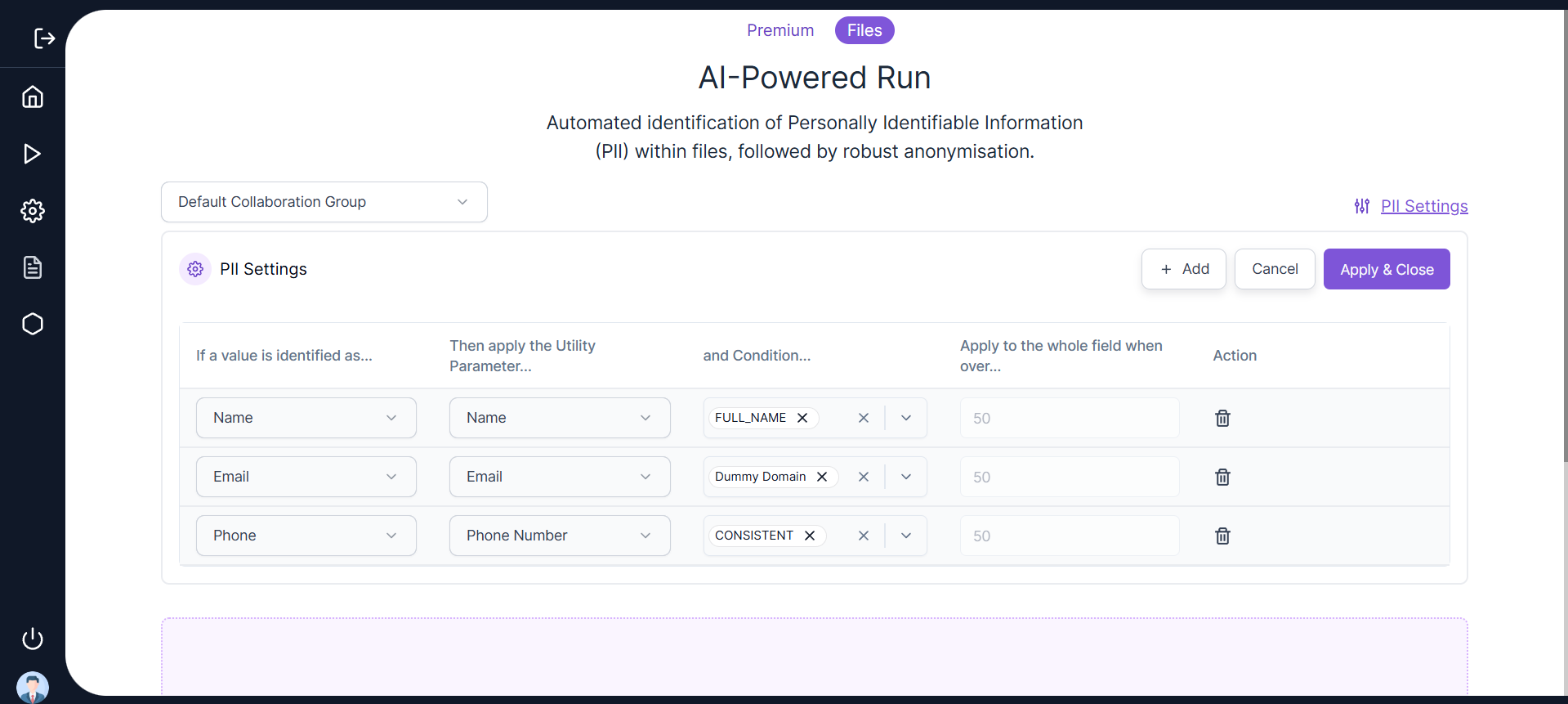
- User can change the values of the Utility Conditions and click Apply and Close.
- Apply and Close will apply the modified PII Settings to the AI Powered Run for both structured and unstructured files.
- The Run Time PII Settings should not override the Centralized PII Settings.
- Clicking on the Cancel button will restore the Centralized PII Settings.
- Users can add a new PII Category and remove an existing one if required.
- These run time utility parameters and conditions should also be displayed in the utility parameters and conditions for a structured file.
Step 4: Click to Upload or Drag and Drop a File 📤
Select “Click to Upload” and manually upload a File from the local system or Drag and Drop a File into the Upload section highlighted in the UI to start with the File Anonymization 🔐.
Currently the system allows uploading one file at a time for anonymization ⚠️.
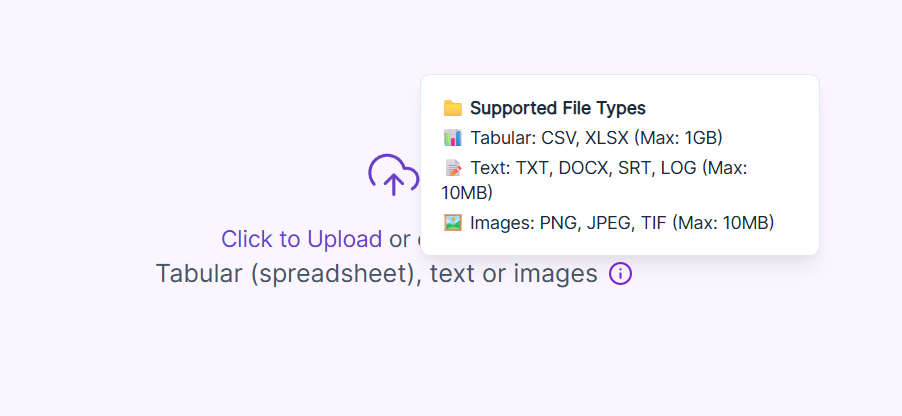
The file types supported for anonymization can be categorized as follows:
- Tabular Files:
.xlsand.csv📊 - Text Files:
.docx,.srt,.txtand.log📄 - Image Files:
.pnj,.jpegand.tif🖼️ - Other :
.pdf - The File Safe application can handle large file sizes. The Maximum File Upload limit is set to 1 GB for structured files and 20 MB for unstructured files.
 -Once the file is uploaded, the user will be directed to the following loading screen. This is the step where the anonymization of the file is taking place.
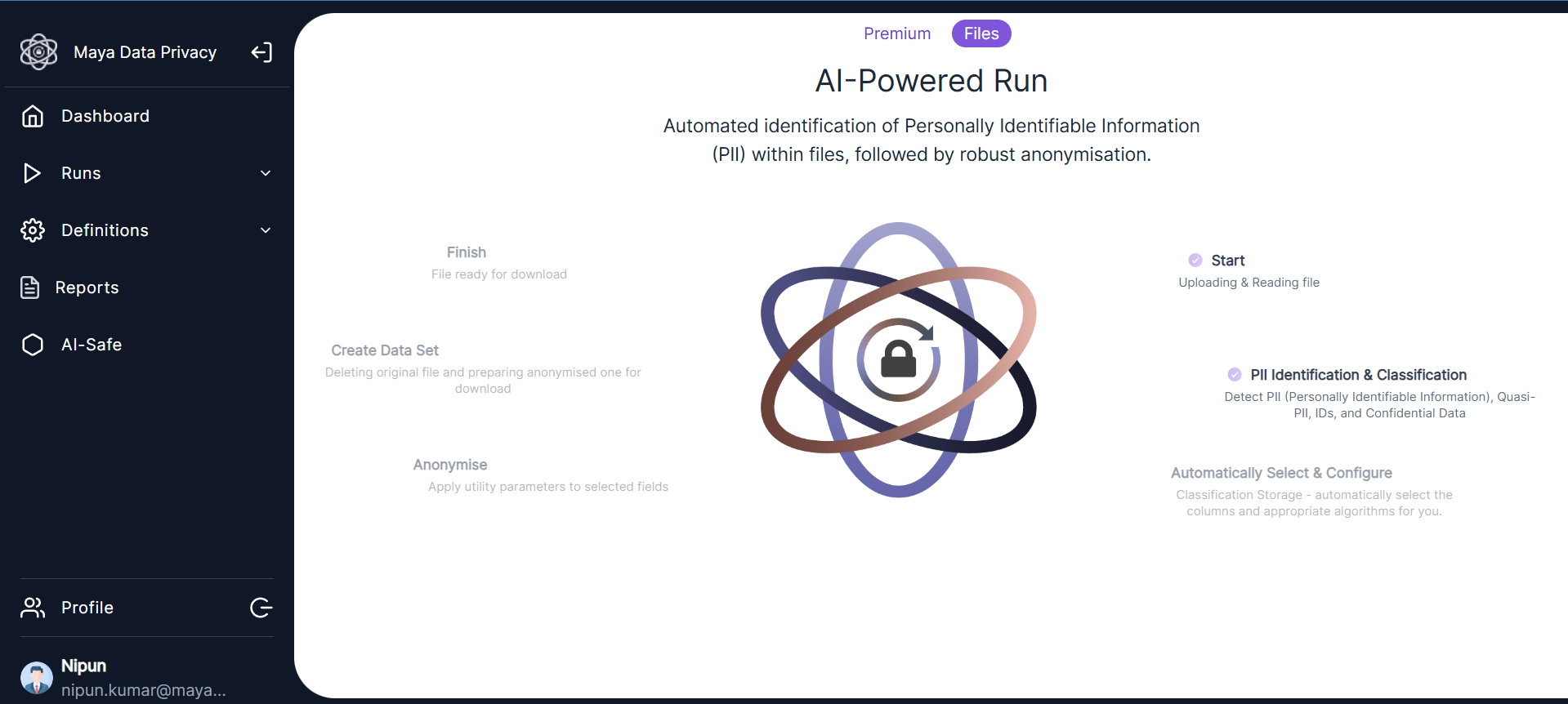
Step 5: Monitor Job Status 📊
Once the anonymization is complete, the user will be directed to the File Safe Tab on the Jobs page. The status of File Anonymization will be visible here.
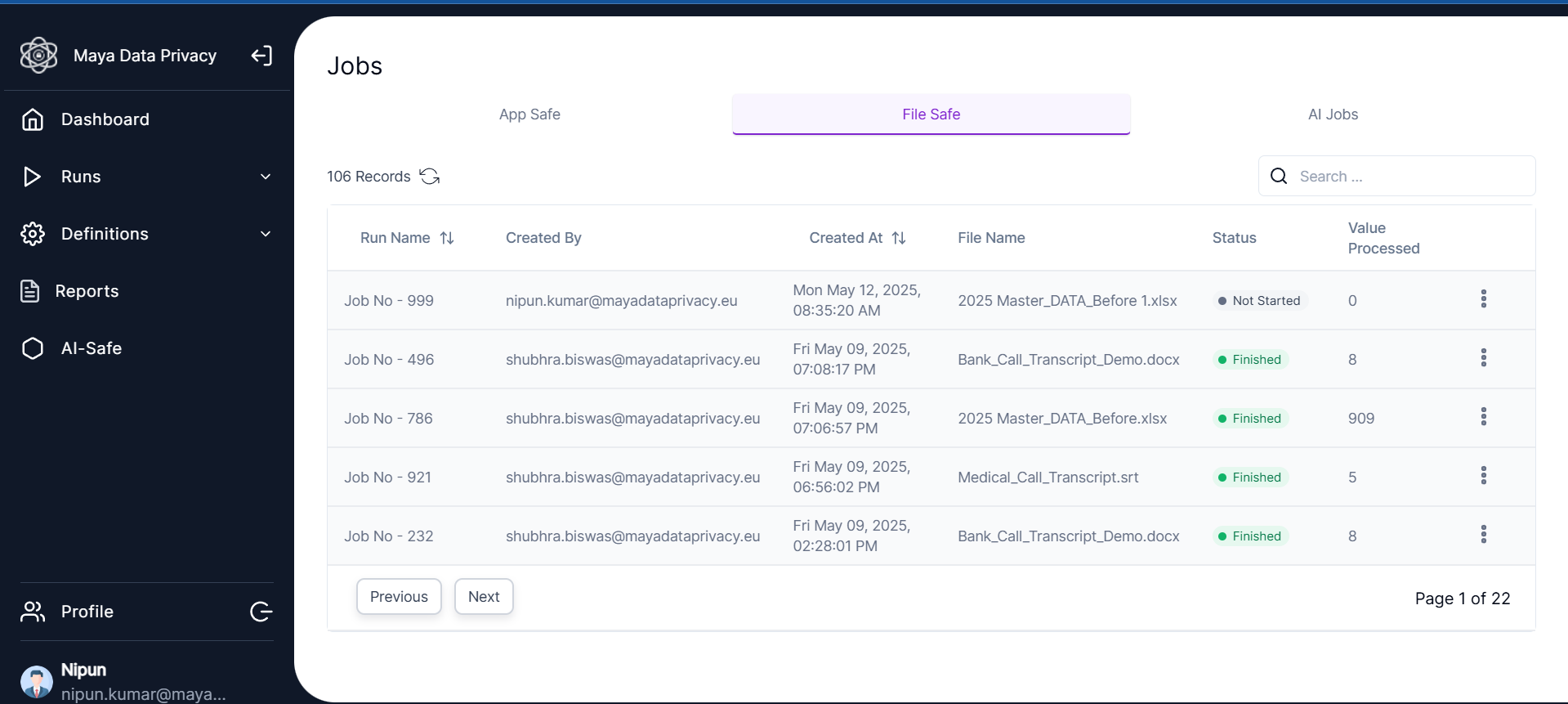 The user can also navigate to the “Jobs Page” by clicking “History” on the left navigation panel. Users can check the progress of the file safe anonymization job 🔄.
🖱️ Use the ‘Refresh’ button in the top right corner to view the updated status.
The status can be:
Not Started🚫In Progress🔄Finished✅Failed❌
The user can also view the “Values Processed” or “Records Failed” in the anonymization Run 📈.
⬇️ Click on the “Download icon” under the Actions column once the File Anonymization is in “Finished” state to download the anonymized version of the uploaded file.
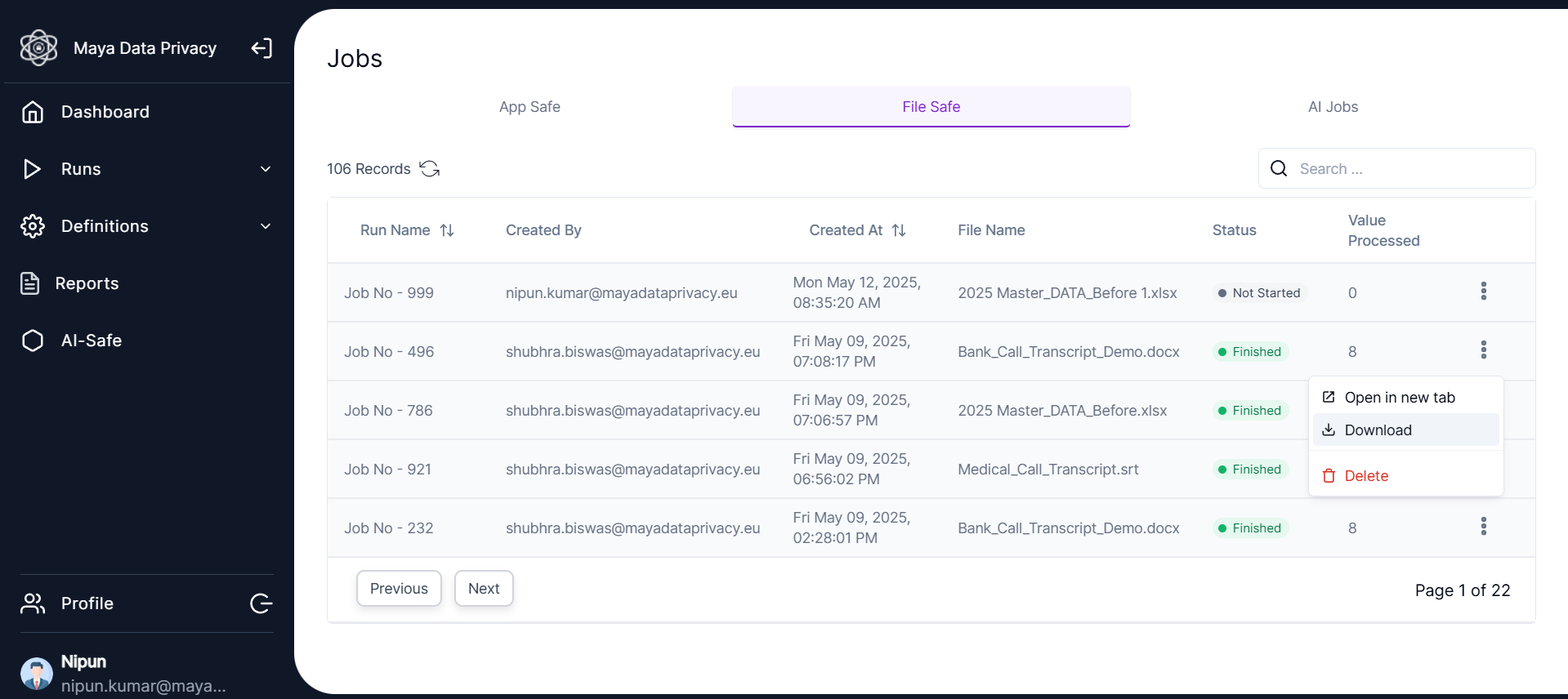
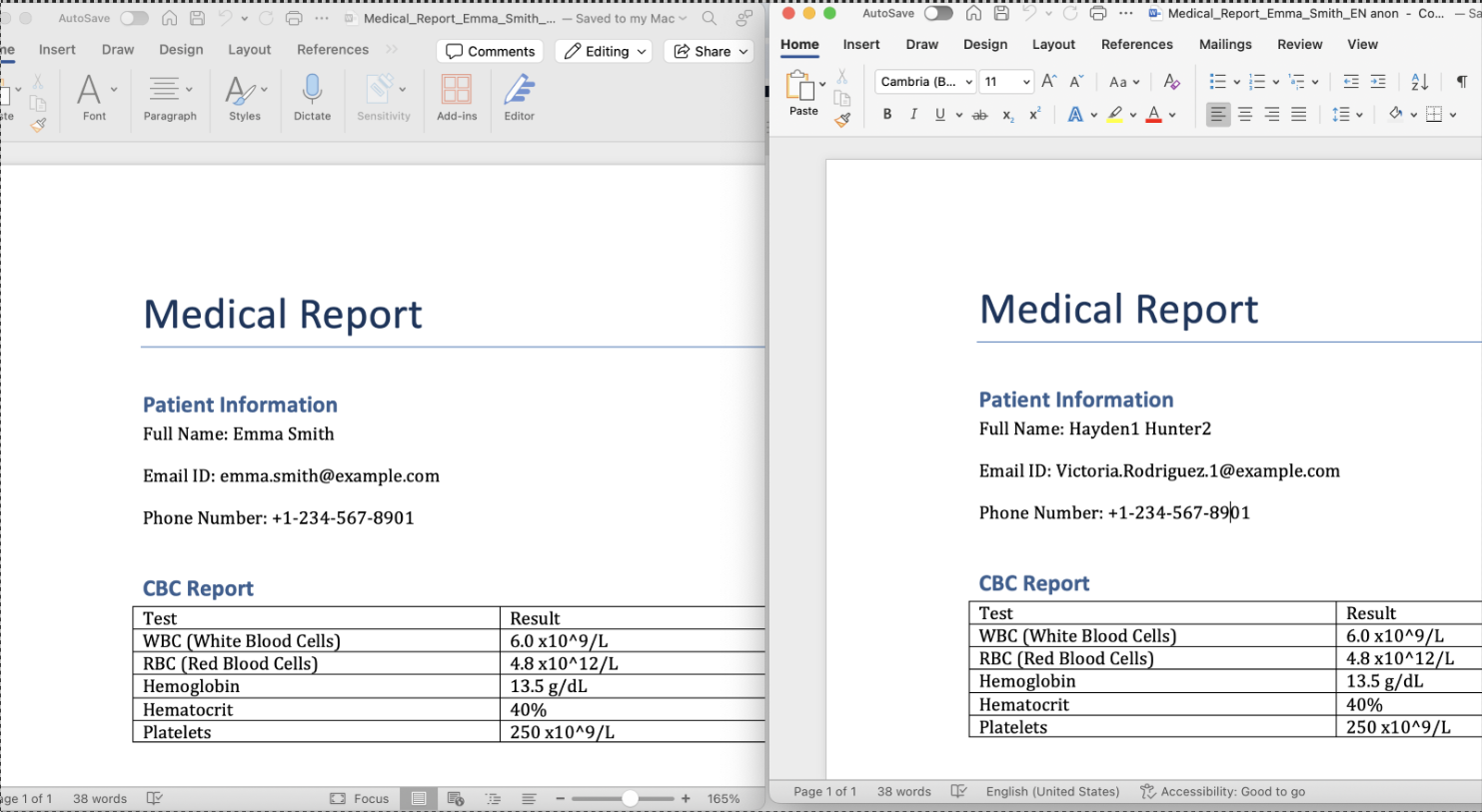
All the PII like Names, Email ids will be replaced with the anonymized values in the downloaded file 🔐.
| Left File | Right File |
|---|---|
| Original File (Uploaded for Anonymization) 📂 | The Anonymized File (Downloaded after the AI – Powered Run) 🔒 |